
Nov 12, 2026
Why Project Forecasts Go Wrong: 8 Project Data Quality Issues to Fix
A delivery forecast is only as reliable as the plan behind it. Here are eight ways stale estimates, missing dependencies, and incomplete capacity data can distort project forecasts, plus what to check before you commit to a date.
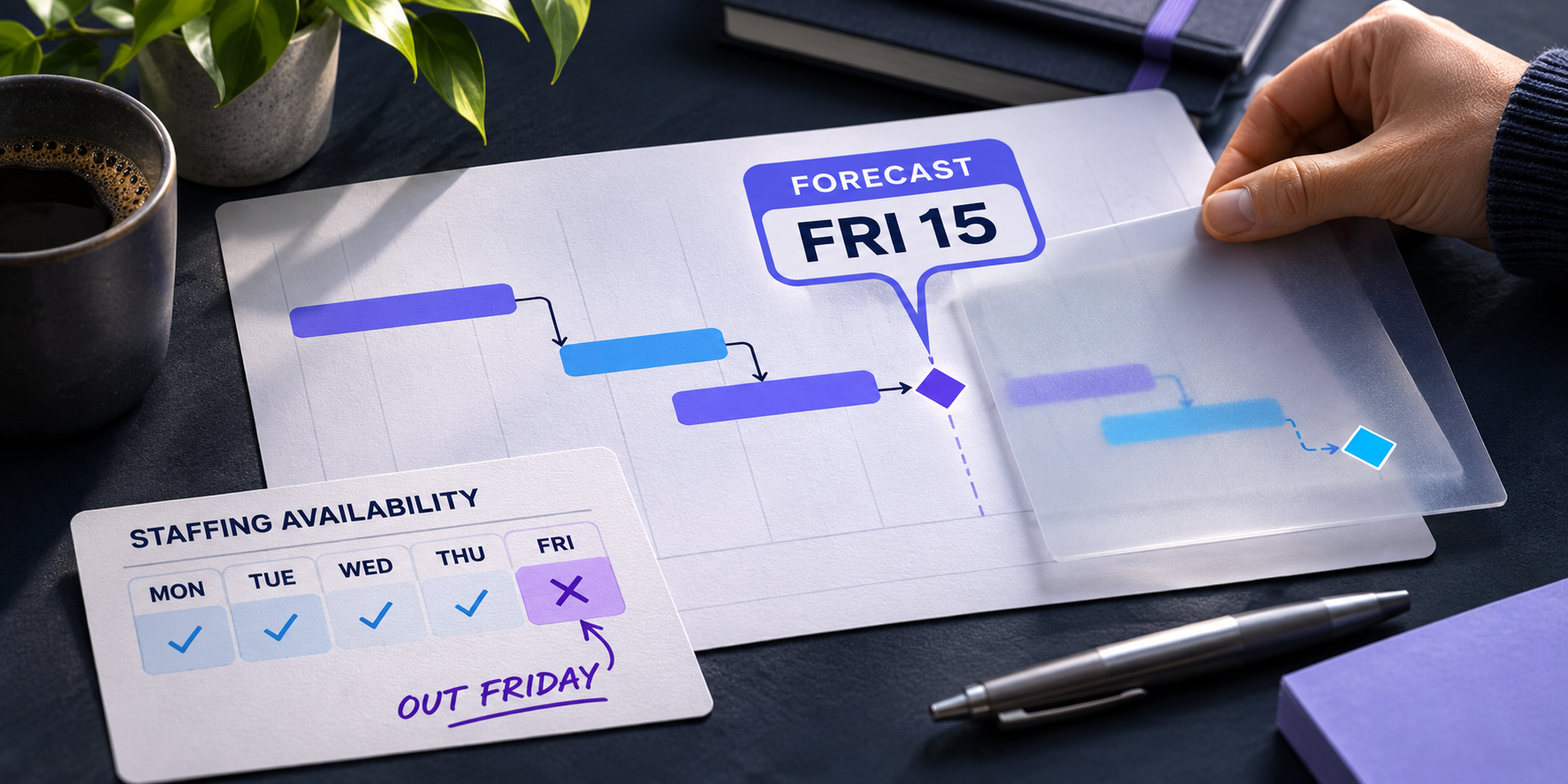
Your project plan shows that a senior engineer has 40 hours available next week. In reality, they’re committed to two other projects, they’re covering support, and they’ve booked Friday off. The forecast can still show a Friday finish because it’s working from the availability in the plan.
That’s what makes project data quality hard to spot. A date can be calculated correctly from inputs that no longer reflect how the work will get done. Before you use a forecast to make a staffing decision or commit to a delivery date, check these eight things.
1. Disconnected tools give teams different versions of the plan
The ticketing system shows that testing is blocked. The project plan still shows it starting Wednesday. The staffing tracker has already assigned the test lead to another project. Each team is working from a different set of information, and someone has to reconcile it before anyone can give a reliable delivery date.
What to do. Decide which system owns each field that affects the forecast, including task status, remaining duration, and resource availability. Connect those systems where possible so an update made in one place reaches the people and plans that depend on it. For an example, see what to look for in a PSA and project management integration.
2. Original estimates stay in place after the work changes
A task was estimated at three days. At the end of day two, the owner realizes they still need three more days. If the plan continues to show one day remaining, it forecasts the task finishing two days earlier than the owner now expects. Whether that pushes a milestone depends on the downstream dependencies and how much float the work has.
What to do. Have task owners update the remaining duration as soon as they know the estimate has changed. If your platform recalculates the timeline automatically, that update is what lets it show which downstream tasks are affected and whether a milestone is likely to move.
3. Missing dependencies hide the impact of delays
An integration can only be tested after a vendor delivers the required credentials. If the plan omits that dependency, the forecast can show testing starting on time even after the credentials are delayed. The team loses the chance to see what the delay could mean for go-live.
What to do. Work backward from each major milestone. Ask the people doing the work what has to be finished or available before their tasks can start. Check the direction and type of each dependency, especially at handoffs between teams or vendors. For more ways to check your plan, see where timeline risk can hide in project management software.
4. Teams use the same fields to mean different things
One team marks a task complete when the work is submitted. Another waits for approval. Both use the same status, but a portfolio report that treats those tasks as equally complete can overstate how much work is ready for the next step.
What to do. Define what statuses mean, how effort is recorded, and what counts as done. Build those definitions into project templates and required fields so teams can report consistently.
5. Plan errors sit unnoticed until someone reviews the schedule
A task can be missing a duration or have dates that conflict with a dependency. Those issues are easy to overlook in a large plan, especially when the task still has an owner and appears on the timeline.
What to do. Use automated validation to flag structural issues as the plan changes. Review flagged items with the people who know the work. A missing duration is straightforward to detect. A handoff nobody entered still needs someone who understands the project.
6. Resource plans use working hours as available capacity
A 40-hour workweek tells you how much someone is scheduled to work. To know how much time they can give a project, you also need to account for existing assignments, time off, and operational responsibilities. Otherwise, two project plans can both rely on the same person being free at the same time.
What to do. Check assignments against actual availability across projects before committing to dates. Review capacity again when priorities change or new work comes in. Read more about how resource capacity affects your project timeline.
7. Status reporting runs on a weekly cycle while work changes daily
A supplier flags a delay on Tuesday. If the project plan only gets updated before Monday’s status meeting, the rest of the team can spend several days working from a forecast that assumes the delivery is still on time.
What to do. Update the plan when a change affects a handoff, a forecasted date, or someone’s availability. Use the status meeting to decide what to do about the change. Automated monitoring can help surface the impact as soon as the underlying plan is updated.
8. Nobody owns the accuracy of the plan
A task owner knows the estimate has changed. The project lead assumes the task owner updated it. The person reviewing capacity sees a conflict and assumes the project lead is handling it. Everyone has a piece of the information, but the plan stays the same.
What to do. Make ownership explicit. Task owners keep status and remaining estimates current. Project leads maintain dependencies and review the effect on milestones. Resource owners confirm availability and resolve competing assignments. Route alerts to the person who can act on them.
Keep your forecast current as work changes
Start with the next date you’re about to commit to. Check that the plan reflects the work still to do, the handoffs it depends on, and the time people actually have available. When any of that changes, the new information needs to reach Moovila through a team update or a connected system.
Moovila helps teams keep those inputs consistent with project templates and integrations. Once the plan is updated, the Critical Path Engine automatically recalculates the forecast so you can see which downstream tasks are affected and whether a milestone is expected to move. RPAX continuously checks the plan for risks your team can review and address.
When the engineer in the opening example books Friday off, that time off needs to be reflected in their availability. From there, Moovila recalculates the forecast, and your team can see whether Friday is still a date you can commit to.
Book a Moovila demo to see how a change in one task can affect the rest of a project plan.
Project Management
Real-Time Resourcing