
Connect with award-winning project management
Now integrated within Webex, Moovila powers hybrid work by connecting the world's first autonomous project portfolio management platform with Cisco’s world-class collaboration tools.
SEE A MOOVILA DEMO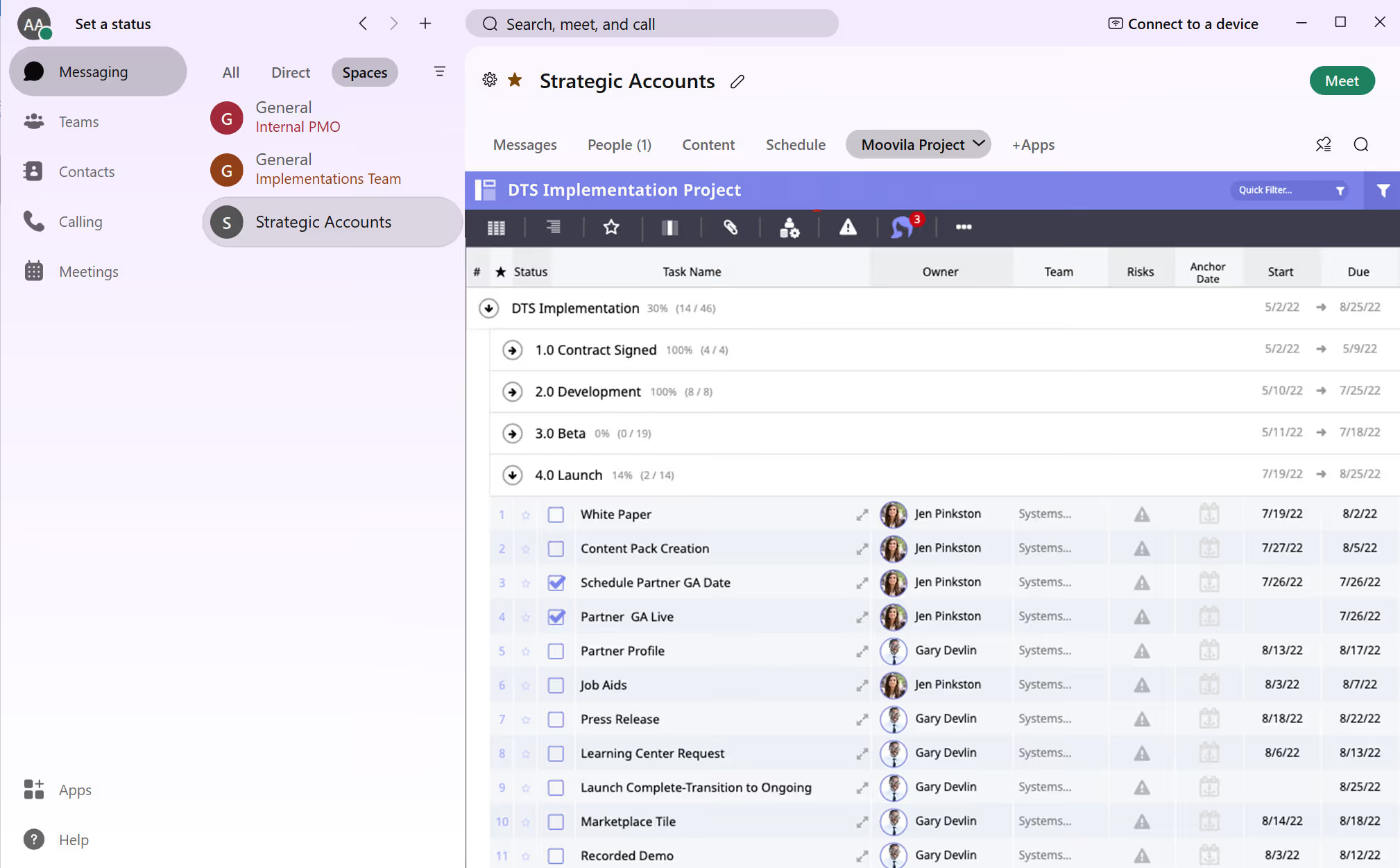
Intelligent Project Control
Score the health and risk of all projects, instantly debug project plans, and remediate issues with an AI-powered PM coach
Collaboration
Share documents via connected cloud storage and chat at the task, project, and team levels
Capacity & resource management
Connect to calendars to incorporate meetings, vacation, and personal commitments for an accurate view of capacity
Accountability & transparency
Keep everyone informed and accountable with task agreements and easily set up dashboards for immediate project insights.
Let's get started
- 1. Within Webex, click the +Apps section and choose Moovila.
- 2. Log into your Moovila account.
- 3. Select which project you'd like to include within your Webex Space.
- 4. Press "Add to tab" to have direct access to your project directly within Webex for more seamless collaboration.
Please note: you must be a current Moovila customer to use this integration.
If you are not yet a customer and interested in learning more, please request a demo below.
Award-winning, best in class software and services






.png)